

Here is the short version. Intelligent glass and film can now be wired into the same automation you already use for your lights, heating and blinds, which means your windows and glass partitions stop being fixed and start behaving like everything else in a modern home or office. Tap one button on your phone in the morning and the shower screen becomes clear, the office meeting room turns private, the south facing glazing cuts the glare, and the whole lot runs on a schedule you set once. It works with platforms like Google Home, Amazon Alexa, Apple Home, KNX, Crestron and Control4, and it costs far less to run than most people expect. Below you will find how the app control actually works, what it connects to, where it makes the biggest difference, what it costs to add and the honest limits worth knowing before you buy.
In short, your glass becomes another device on your network. You decide when it is clear, when it is private and when it reacts on its own to the time of day or the weather outside.
Switchable glass and film sit in front of you as a simple thing. Give the film power and it is clear. Take the power away and it frosts over. The clever part is not the glass itself, it is what controls the power. Automation
Automation means that power is no longer coming from a wall switch you have to walk over to. It comes from a small controller that talks to your phone, your home hub or your building management system. That controller can be told what to do, when to do it and what it should react to.
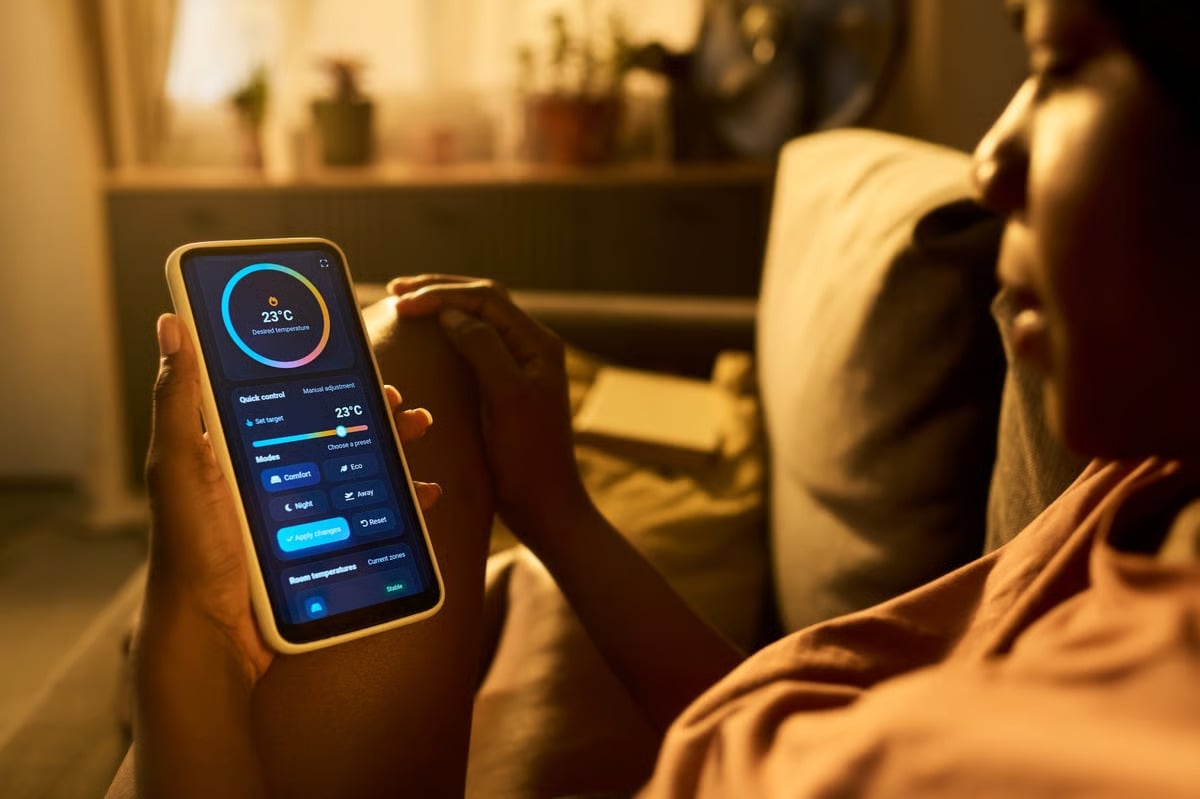
In practice that gives you four things. Control from anywhere using an app. Scenes that change several panes at once, such as a "meeting" scene or a "goodnight" scene. Timers and schedules that run without you touching anything. And sensors, so the glass reacts to light levels, temperature or movement on its own.
One thing worth saying plainly. Automation is an add-on to the glass, not a different product. Any switchable pane or film can usually be automated at the point of order, and many existing installations can be upgraded later. If you are still working out which product suits your project, our guide to smart glass versus smart film is the better place to start.
The technology under the glass is PDLC, short for polymer dispersed liquid crystal. Tiny droplets sit inside the film. With no power they scatter light in every direction and the pane looks frosted. Add a small voltage and the droplets line up, light passes straight through and the glass becomes clear. The reason this matters for automation is that the change is electrical and instant, which is exactly what a controller needs. We go deeper on this in our guide to how intelligent smart glass works.
From there, the chain is straightforward.
The pane itself, supplied with a transformer sized to its area. Larger panes are grouped onto a single driver.
A relay or smart module that switches each circuit on and off. This is the box the app really talks to.
Wi-Fi, Zigbee, Z-Wave or a hard wired bus depending on the system. This carries your instruction to the controller.
The bit you actually touch. A button, a scene, a schedule or a spoken command.
A useful reality check on power. Switchable film draws a small amount of electricity, usually single digit watts per square metre in the clear state and nothing at all once it is frosted. Running a whole house of glass all day is not the same as running a heating system. We explain the numbers in our article on whether smart glass uses electricity.
A word on where the automation lives. Switchable film that is retrofitted to existing glass is driven from an external controller, because the film is fixed to the surface. Laminated smart glass has the film built inside the pane, and the wiring is usually hidden in the frame. Both can be automated, but the second leaves a tidier finish. If you are working with glass you already own, read our guide on installing smart film on existing windows first, as it covers the practical checks.
You do not need to adopt a new app just for your glass. In most cases the automation sits inside the platform you already have, which is why the transition feels so painless.
| System | Typical Use | What You Get |
|---|---|---|
| Google Home | Family homes | Voice control, routines and app scenes |
| Amazon Alexa | Homes and small offices | Voice commands and timed routines |
| Apple Home | Design led homes | Scene control from iPhone, iPad or Watch |
| KNX | High end homes, offices | Wired reliability, wall panels and building logic |
| Crestron | Commercial, luxury residential | Full integration with AV, lighting and HVAC |
| Control4 | Homes, hospitality | Custom scenes, sensors and remote access |
| Building management systems | Commercial buildings | Tie in with HVAC, lighting and access control |
There is also the option of a standalone app supplied with the glass. It is useful on smaller jobs where there is no wider automation to join, and it usually covers grouping panes, naming them and setting basic timers. If you later add a wider system, the controller can often be brought into it.
What matters most is agreeing the platform before the glass is ordered, not after. Retrofitting compatibility later is possible but it is rarely the cheapest route. If you are specifying for a client, the technical detail sits on our page for architects and specifiers.
At home the appeal is quieter than it sounds. You stop walking around closing curtains and blinds, and the rooms start to behave the way you want them to at different points in the day.
A shower screen can stay clear so the room keeps its light and sense of space, then frost automatically when the room is occupied. Pair it with a motion sensor and it does the work without anyone touching a switch. We cover the specifics in our guide to smart glass for showers, bathrooms and saunas.
Large south facing glazing is lovely until about four in the afternoon. Tinting the glass automatically as the sun moves across keeps the glare and the heat down without turning the room into a cave. If the room still needs a little warmth in winter, that is a separate conversation, and our piece on whether smart glass is energy efficient is worth reading alongside this one.
This is where app control earns its keep. A glass partition can stay open during the day and switch to private the moment a call starts, either on a schedule you set or by voice. If the glass is also there to look good, a tinted or coloured finish can lift the whole room, which we explain in the plain English guide to coloured switchable smart film.
A skylight above a bed is beautiful by day and unhelpful at sunrise. Put it on a schedule and it frosts at the time you set. There is one genuine caveat though, and that is anything overhead outdoors, which we have gone through in detail in our article on whether switchable smart glass can be used outdoors and our UK guide to using smart film on skylights.
In a commercial setting the benefits are less about convenience and more about the building working properly. Glass that can be told what to do is easier to manage, easier to explain to staff and often cheaper to run than the alternative.
The classic use. The room stays open and visible most of the day, then one press on a wall panel or the calendar integration takes it private for a confidential discussion. It is also a genuine upgrade on blinds, which take time to close and never fully stop sound or sightlines. We go through the whole picture in our article on smart glass film for office meeting rooms.
A glazed reception can be welcoming and still keep the back of house out of view. Set a scene so the screen in front of the workspace frosts while the rest of the glass stays clear, and it can be changed in seconds if the space is being used for something else.
This is where automation pays for itself quietly. Glass that reacts to sunlight reduces the load on cooling in summer, and glass that reacts to the room temperature can ease the strain on heating in the colder months. The savings come from the whole system working together, not from the glass alone, and our article on how smart glass and smart film reduce HVAC costs puts figures on it.
Clinics, consulting rooms and treatment spaces have a harder version of the same problem, because privacy has to be reliable rather than convenient. Automation helps here too, since the glass can be set to default to private and only become clear when a member of staff chooses it. Our article on smart film for healthcare privacy covers how that works in practice.
A simple wall switch is not a bad solution. It is cheap, it never needs an update, and for a single bathroom screen it is often all anybody wants. The question is whether you need more than that.
| Feature | Manual Wall Switch | App and Automation |
|---|---|---|
| Control from elsewhere | No, you have to be in the room | Yes, from your phone, anywhere |
| Several panes at once | One switch per circuit | Grouped into a single scene |
| Schedules and timers | Manual only | Set once and forget |
| Reacting to light or heat | Not possible | Responds to sensors automatically |
| Voice control | No | Works with the major voice assistants |
| Best suited to | Single screens, simple jobs | Whole homes, offices and multi pane projects |
In short, manual control is about one pane, app control is about the whole space behaving in a coordinated way. If you are still weighing up the wider picture, our page on the benefits of intelligent smart glass and smart film sets out the case in more detail.
Most people start with one and end up with half a dozen. These are the ones that tend to stick.
Glass frosts at dusk and clears at breakfast, tied to the same routine as your lights and blinds.
A motion sensor or humidity sensor triggers the frost so nobody has to remember to switch it.
A single press on a wall panel or in the calendar takes every pane in the room private at once.
A light sensor tints the west facing glazing in the afternoon and clears it again later.
Glass defaults to private while the property is empty, then returns to normal when you are back.
In offices, glass stays open to encourage daylight until a room is in use, then responds automatically.
If running all of that sounds like more maintenance than it is worth, it is not. The schedules live in the app, they run whether you are there or not, and changing one takes about a minute.
There is no fixed price for an automated installation, and anybody who quotes one over the phone is guessing. What is useful is knowing which parts of the job push the figure up.
The electrical side is worth thinking about early. Glass, controller and sensors all need power, and if you are already ripping out walls it costs very little to run the cabling at the same time. Doing it afterwards is where budgets get uncomfortable. For two useful reference points, see our guides on how much smart glass costs and how much smart film costs to install.
There is also the question of whether the whole thing is worth it in the first place. Some of the cost is recovered through comfort and lower cooling demand, and some comes back when a property is sold, but those figures vary from one project to the next. Our honest breakdown of whether privacy glass is worth it covers the trade offs properly rather than overselling it.
If you are comparing suppliers, ask what happens if the glass, the controller or the app stops working, and who owns the warranty on each part. On larger jobs the answers are not always the same.
A balanced view helps more than a sales pitch, so here is the honest picture.
If you would rather hear the downside in full before spending anything, our article on the disadvantages of smart glass is written for exactly that.
Intelligent glass and film on their own are a neat bit of technology. Linked to the automation you already use, they become part of how a building actually works, changing privacy, light and comfort without anyone having to think about it.
The decisions that matter are made early. Which platform the system will join, how many circuits you want, where the power and cabling will run, and which rooms genuinely need the control. Get those right and the installation is straightforward. Get them wrong and the cost climbs quickly.
Nobody needs automation on every pane. Most projects start with one room, prove the value, and grow from there. That is a sensible way to approach it.
Thinking about app controlled smart glass for your home or office? Get in touch with our team to talk through your glass, your automation platform and what you want the space to do.
Contact Us


Premium smart film and smart glass solutions for Yacht Owners, Architects, Businesses & Home Owners. Transforming your vision into the reality you've dream about.
© 2026 SmartGlassInnovations. All rights reserved.